"Do you have anything available tomorrow afternoon?"
It is the kind of question a front desk hears every day.
The caller expects a simple answer. Behind that answer, however, the business may need to identify the type of appointment, collect a few details, check availability, create or update a booking, and make sure the caller receives the correct confirmation.
An AI voice agent can handle parts or all of that process over the phone when it is connected to the right scheduling systems.
The important part is not simply answering the call. It is knowing what the caller wants and making sure the booking result matches what actually happened in the calendar.
How does AI appointment booking work?
AI appointment booking lets a caller schedule or manage an appointment through a voice conversation. The agent understands the request, collects missing details, and uses information from the business's calendar or booking system to continue the call.
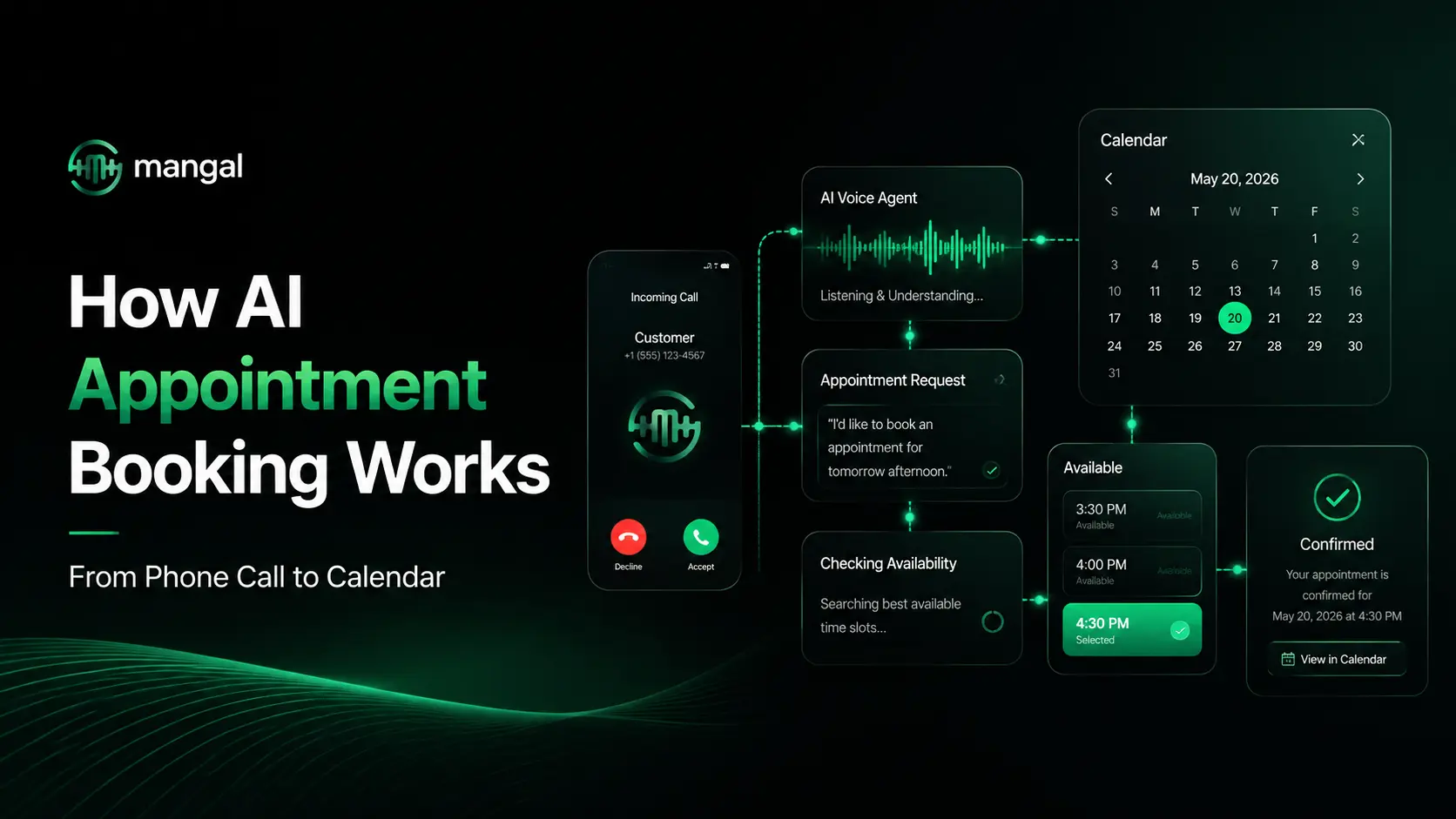
A typical appointment call moves through this sequence:
Caller request → Appointment details → Availability check → Booking action → ConfirmationIf the request cannot be completed normally, the call may need another option, a follow-up action, or a person from the team.
This is different from an answering service that only takes the caller's name and asks someone to call them back.
1. The call starts with intent, not a script
Someone asking:
"Do you have anything available Saturday afternoon?"
Needs a new appointment.
Someone saying:
"I need to move my Friday appointment to Monday."
already has a booking and wants to change it.
And:
"Can you confirm my appointment is at 4:30?"
is not a booking request at all. It is a confirmation question.
Those differences matter because each call requires a different next action.
The caller may also provide several useful details in a single sentence.
Take:
"Do you have anything available Saturday afternoon?"
The day is already known. So is the preferred part of the day.
A natural conversation should continue from there rather than asking the customer to repeat information:
"Would you prefer an earlier or later afternoon slot?"
That sounds obvious when a person handles the call. Appointment automation needs to work the same way: use what has already been said before asking the next question.
2. Different appointments need different information
There is no universal set of questions that works for every appointment.
A medical consultation may need the type of consultation and preferred time.
A property viewing may need the project, location, and preferred visit date.
A counselling appointment may need the programme or service the customer is interested in.
That means the voice agent needs to collect information relevant to the booking rather than work through a long generic questionnaire.
For example:
Caller: "I need a consultation on Saturday."
The system already has:
Appointment type: Consultation
Preferred day: Saturday
There is little value in asking for either again.
A useful follow-up would be:
"Would morning or afternoon suit you better?"
The conversation stays short, and the business still gets the information required to continue the booking.
This is where voice scheduling differs from a traditional IVR. The caller does not need to press through a fixed menu in the exact order the system expects.
3. A preferred time is not an available time
A caller might say:
"Book me for 4:30 PM."
That expresses a preference. It does not prove that 4:30 PM is free.
Availability normally comes from the calendar, scheduling platform, or other booking data connected to the call.
That information may need to account for:
- existing appointments
- operating hours
- service or appointment type
- staff availability
- location
- booking restrictions
So the sequence is closer to:
Caller prefers 4:30 PM → Scheduling system checks 4:30 PM → Valid option returned → Booking can continueIf 4:30 PM is already occupied, the conversation needs to reflect that.
This separation between what the caller asks for and what the scheduling system allows is essential. Without it, a voice agent can sound confident while giving the customer incorrect information.
4. Taking an appointment request is not the same as booking it
This distinction matters when businesses compare AI answering services, reception tools, and appointment-booking agents.
Imagine a caller says:
"I need an appointment tomorrow afternoon."
A system that takes a request
It records:
- caller name
- phone number
- preferred time
and finishes with:
"Someone from our team will call you back."
Nothing has been scheduled yet.
The call has simply created a task for someone else.
A system that completes the booking process
It gathers the information required for the appointment, performs the relevant scheduling action, and tells the customer the result.
| Request captured | Booking completed |
|---|---|
| Preferred date/time noted | Scheduling action completed |
| Contact details saved | Appointment result returned |
| Callback may still be required | Caller knows what happened |
| Team still has a manual task | Booking can move forward during the call |
The wording used with the caller matters here.
If the scheduling action fails, the appointment is not confirmed.
If the system has only recorded the customer's preference, the appointment is not confirmed.
"Confirmed" should mean that the booking action actually succeeded.
That sounds like a small detail. In practice, it is the difference between automation that saves work and automation that creates problems for the front desk later.
5. What if the requested time is unavailable?
This is where real appointment calls become more interesting than demos.
A customer may ask:
"Is there anything available after 5 instead?"
The system now needs to continue from the current conversation rather than start over.
If another valid option is available, the caller may be offered that time.
If more information is needed, the agent may ask a follow-up question.
If the request cannot be handled through the normal booking process, someone from the team may need to step in.
The same applies when the caller changes their mind.
"Actually, Saturday would work better."
The Saturday preference should replace the earlier date. Both should not remain active simply because they were mentioned during the same call.
Unclear requests need clarification
A caller may say:
"I need an appointment, but I'm not sure which department."
Guessing would be a bad outcome.
A short clarification is better:
"Can you tell me what you need help with?"
The answer may provide enough information to continue the booking or show that the call needs a person.
Failed booking actions need an honest response
A calendar connection can fail. A booking action may return an error. Required information may be missing.
In those cases, the voice agent should not invent a successful result.
The next action could be another booking attempt, collecting the request for follow-up or transferring the call, depending on what the business allows.
That failure path deserves as much attention as the happy path because customers remember incorrect confirmations far more than smooth routine bookings.
6. Appointment conversations rarely happen in a fixed order
Forms work in fields:
Name.
Service.
Date.
Time.
Phone calls do not.
A customer might open with:
"Can I see the same doctor on Saturday?"
That one sentence contains information about the provider and date before anyone has asked a question.
Another customer might say:
"Can you move my Friday appointment to Monday afternoon?"
That contains an existing appointment reference, a new date, and a time preference.
Voice-based scheduling works best when the conversation can use information wherever it appears.
That means keeping track of:
- the caller's original request
- details already provided
- missing information
- changes made later in the call
The goal is not to make people learn how to talk to an AI system.
The system should make the booking conversation feel familiar to someone who already knows how to speak to a receptionist.
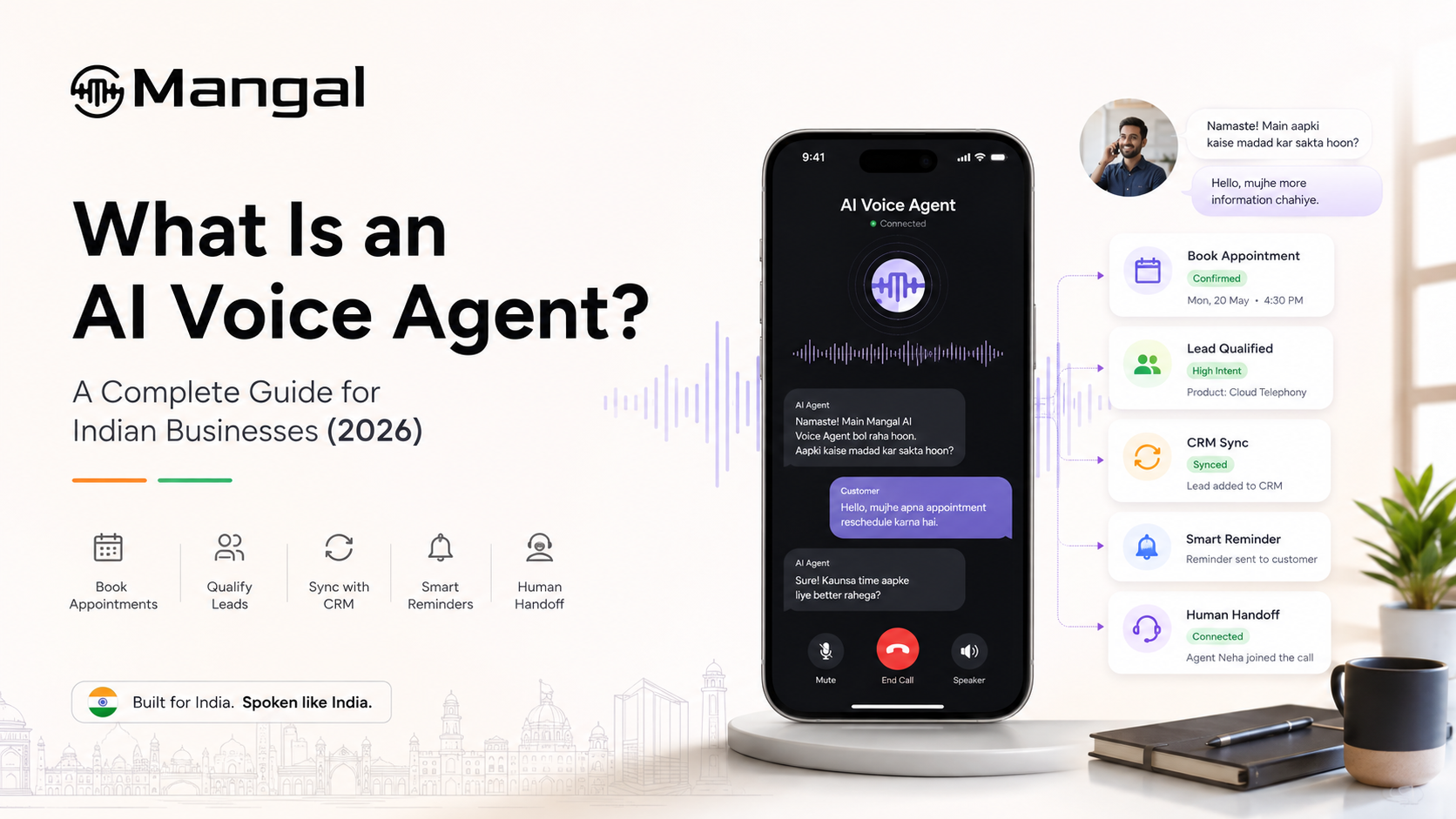
For a broader explanation of how this technology works beyond scheduling, see What an AI Voice Agent Is?
7. What happens after the booking call?
A confirmed appointment may be the main result, but the call often contains useful context that does not belong in a calendar field.
A business may want access to:
- the booking status
- caller information
- call recording
- transcript
- scheduling result
- any remaining follow-up
Suppose the appointment is booked, but the caller also asks a question that a staff member needs to answer later.
The calendar tells the team when the customer is coming.
The transcript explains what else was discussed.
Connecting voice calls with scheduling, CRM, and messaging tools also helps keep information from being trapped inside separate systems.
Mangal supports integrations with scheduling, CRM, and communication tools; the broader integration options are available on the Mangal Integrations page.
8. Which appointment calls still need a person?
Appointment automation works best when the task is clear and repeatable.
Examples include:
- booking a standard appointment
- moving an existing appointment
- confirming appointment details
- answering routine availability questions
A staff member may be a better fit when the call involves an exception, a sensitive question, specialist advice, or a request outside the normal scheduling rules.
There is no benefit in forcing those conversations through automation simply because the call started with an AI agent.
A better handoff keeps the information already collected and passes the caller to the appropriate person.
That saves the customer from hearing:
"Can you explain that again?"
and lets the team pick up from the point where automation stopped.
Where does phone-based appointment booking make sense?
Phone scheduling appears in many industries, even when the appointment itself is completely different.
Healthcare teams handle consultations, follow-ups, and appointment changes.
Real estate teams schedule property viewings and site visits.
Education teams arrange counselling sessions, admission discussions and other scheduled conversations.
What connects these use cases is not the industry. It is the behaviour: a customer calls because they want a time arranged without waiting for another callback or navigating a separate booking journey.
AI Appointment Booking FAQs
Can AI book appointments over the phone?
Yes. A voice agent can understand the caller's request, collect the information needed for the appointment, and work with a connected calendar or scheduling system. Whether the appointment can be completed entirely during the call depends on what actions the connected booking system supports.
How does an AI voice agent know which appointment times are available?
The voice agent gets availability from the calendar, booking platform, or scheduling rules connected to it. The customer's requested time remains a preference until the scheduling system confirms that the slot can be used.
What happens when the requested appointment time is unavailable?
The call can continue with another valid option, ask the customer for a different preference, or involve a staff member when the booking cannot be completed through the normal process.
When should an appointment call be transferred to a human?
A human should take over when the caller needs specialist advice, requests an exception, raises a sensitive issue, or asks for something outside the normal booking process. Passing along the information already collected prevents the customer from having to start again.
See how Mangal handles appointment calls
If you want to see the commercial use case rather than the mechanics behind it, visit Appointment Booking with Mangal.
See how Mangal handles booking, rescheduling, and routine appointment calls, with human handoff available when the conversation needs a person.