Build and control business conversations visually.
Design how your AI voice agent greets customers, what it asks, what it must never do, what it captures, and when it hands the call to a person — as a workflow you can see, change and test.
Build conversations visually — not with one giant prompt.
A single prompt is hard to review, hard to change safely, and hard to explain to the people who own the conversation. A workflow is none of those things.
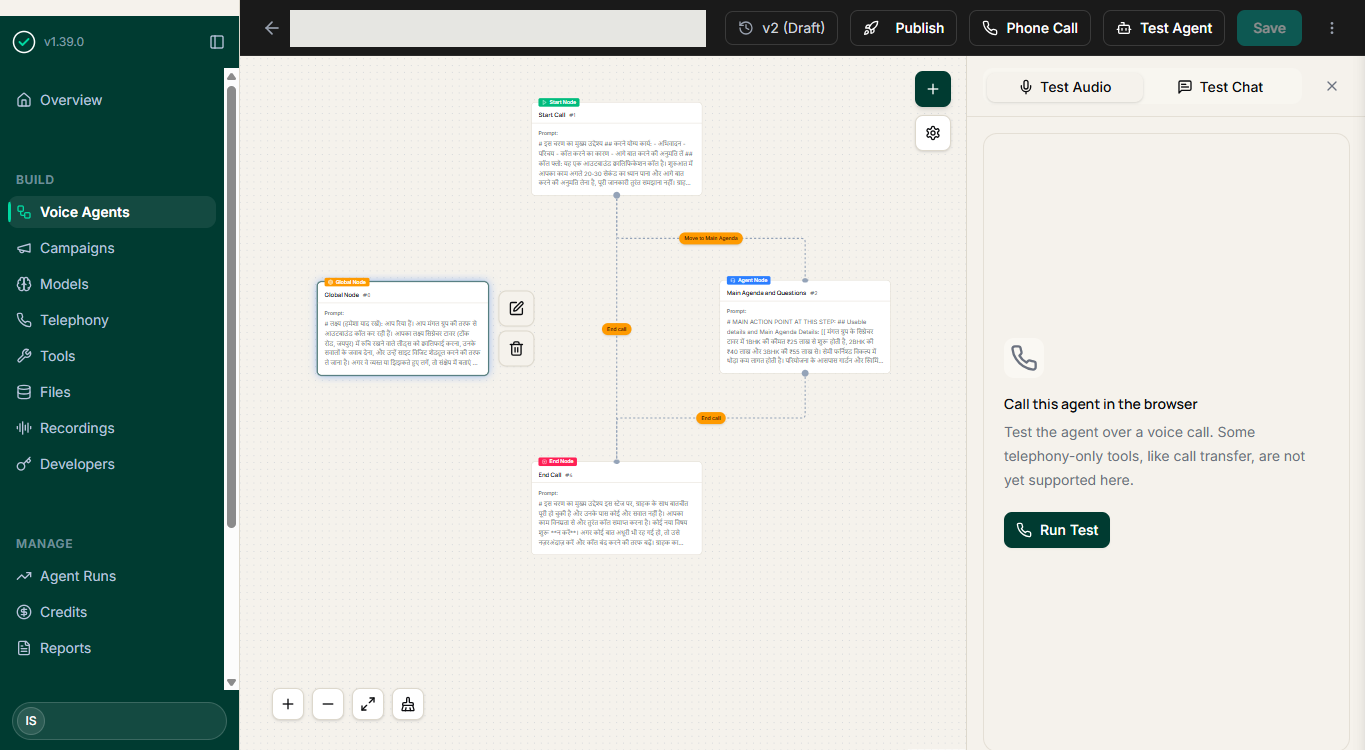
From business context to a finished call.
Every agent is assembled from the same building blocks, in the order a real conversation happens.
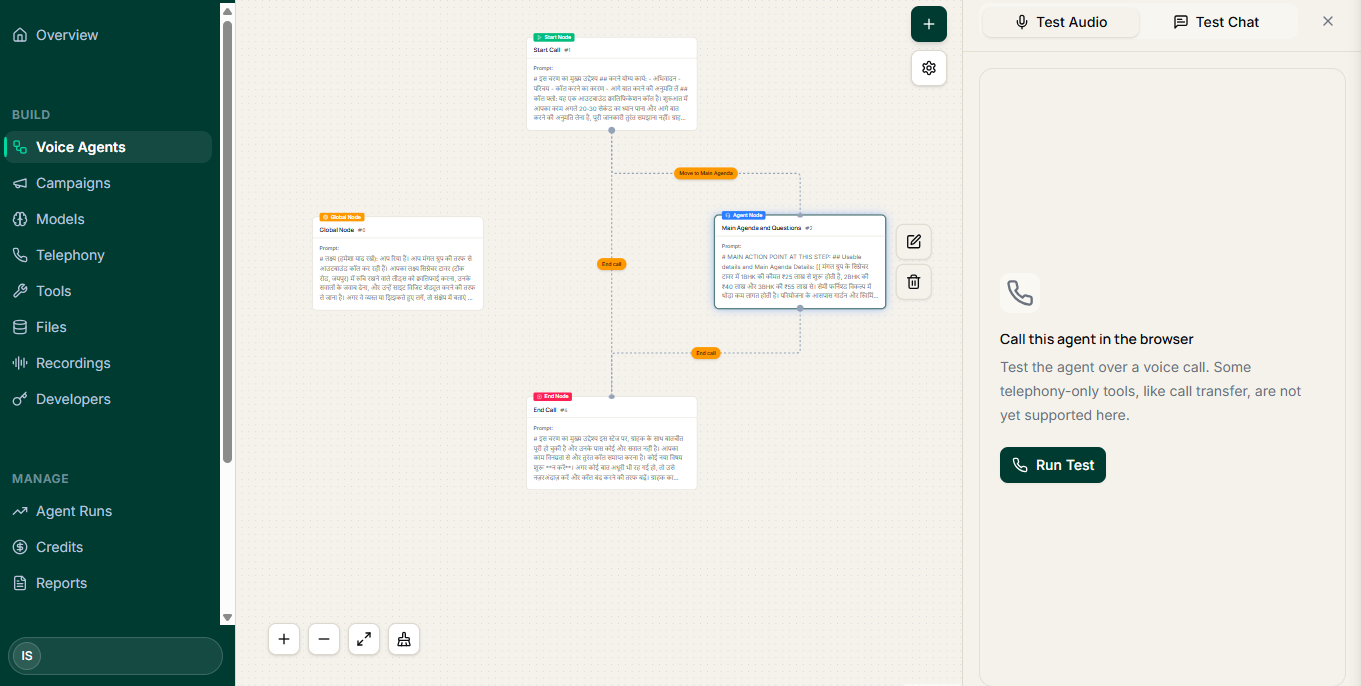
Global / Business Context
One shared node holds the business information, persona and knowledge every step of the call can draw on.
Start Call
The entry point. Defines how the conversation opens, for both inbound calls and outbound campaigns.
Conversation Nodes
Each step of the conversation — greeting, questions, qualification paths and branches — as its own node.
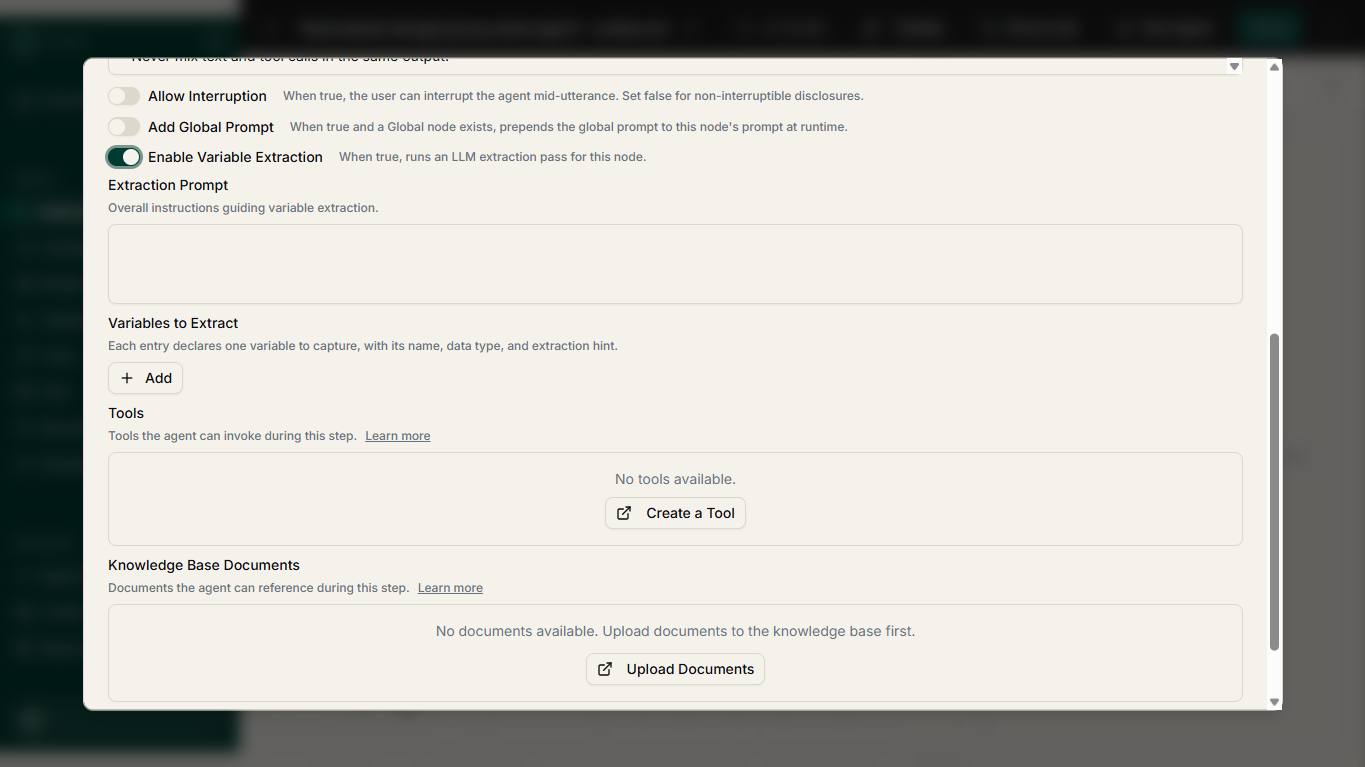
Extraction Variables
The fields you want back from the call, named up front so results arrive structured rather than as free text.
End Call
How the call closes, what outcome is recorded, and which follow-up action runs next.
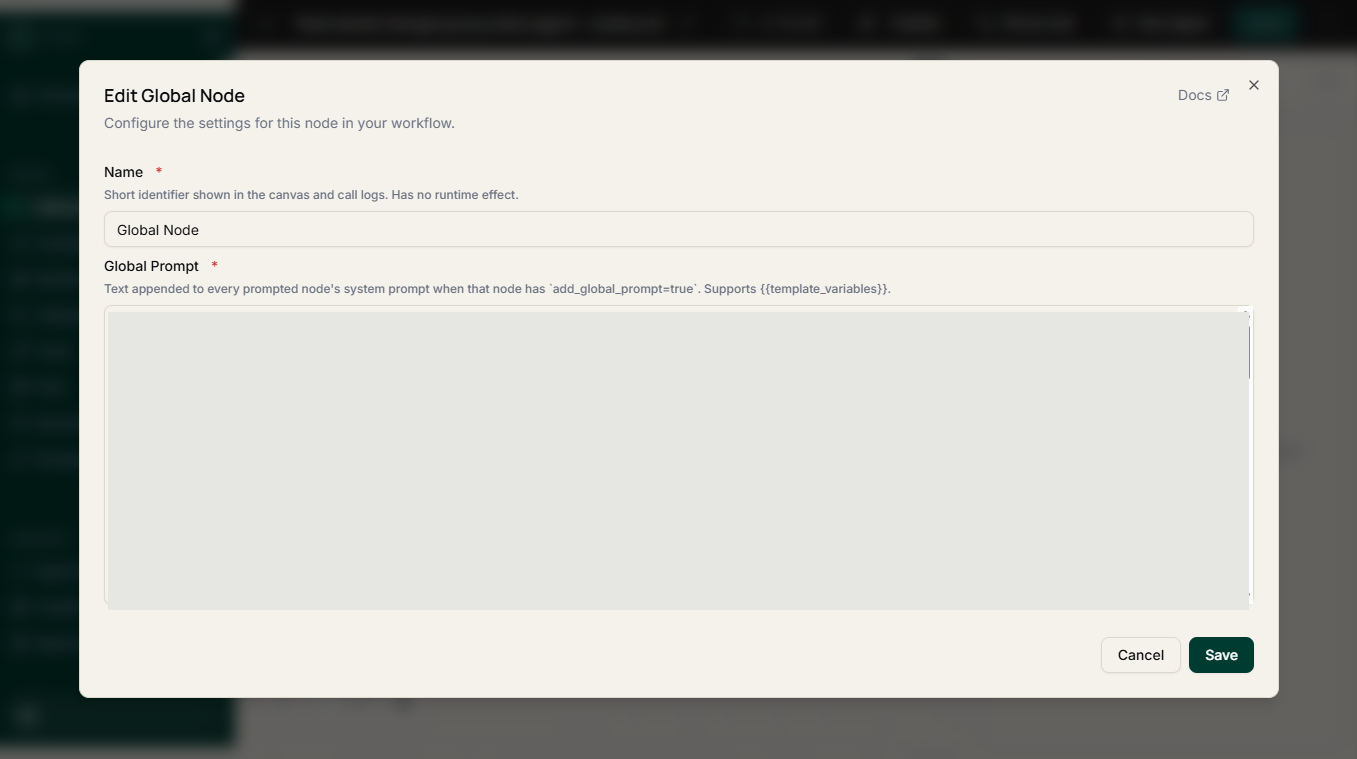
One place for everything the agent should know.
Instead of repeating business details in every prompt, the global context node holds them once — your services, how you describe them, your persona and tone, and the knowledge the agent is allowed to rely on.
- Business information and services the agent can talk about
- Persona, tone and language style for the conversation
- Shared knowledge available to every node in the workflow
- Update it once and the whole workflow follows
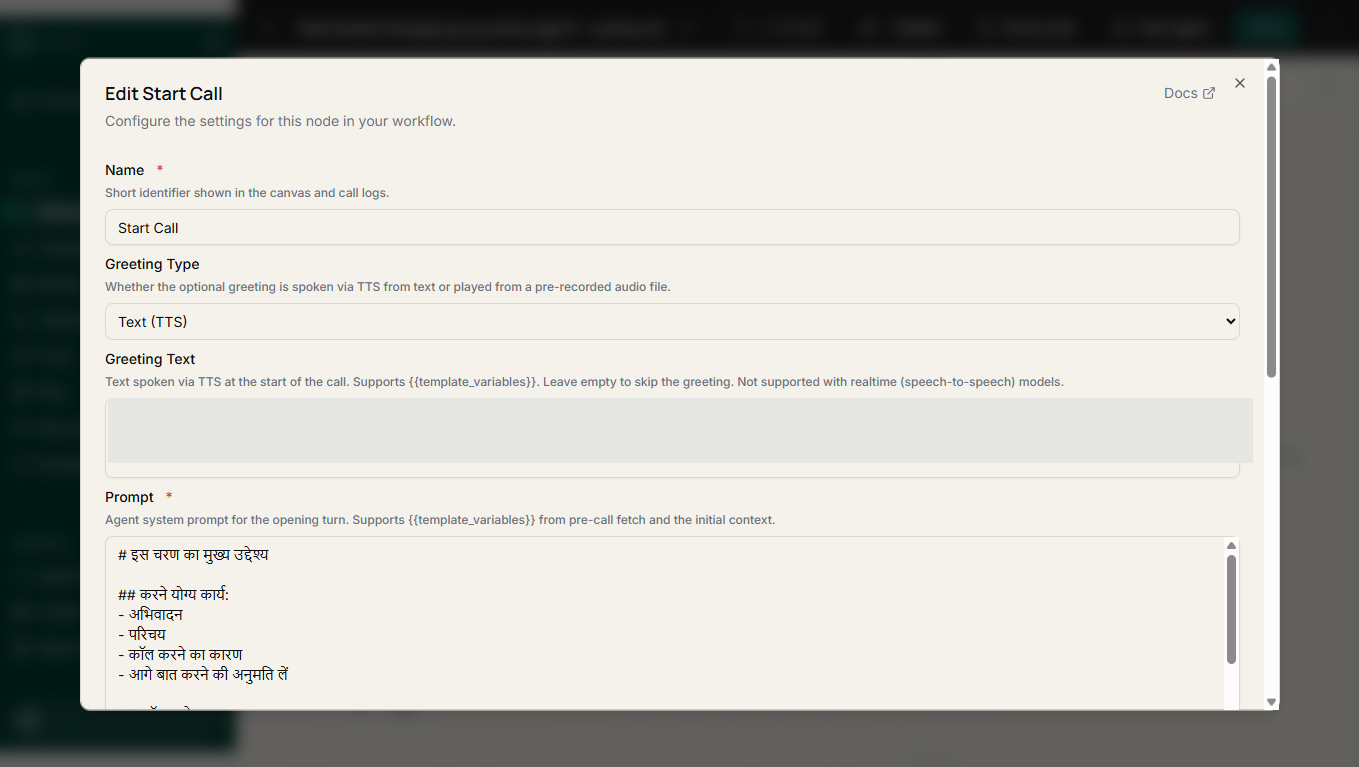
Define how every conversation opens.
The Start Call node is where a conversation enters the workflow. The same agent can answer an inbound enquiry or open an outbound call, with the opening shaped for each.
- Entry point for inbound, outbound and browser calls
- Set the greeting and the first question that matters
- Route into different paths from the very first response
Every step of the call is a node you can see.
Greetings, questions, qualification paths, objections and call endings are built as separate nodes. You can reorder them, branch them, and change one step without rewriting the whole agent.
- Greeting, questions and qualification steps as discrete nodes
- Branch the conversation on what the caller actually says
- Change one step without touching the rest of the workflow
- Anyone who owns the conversation can read the flow
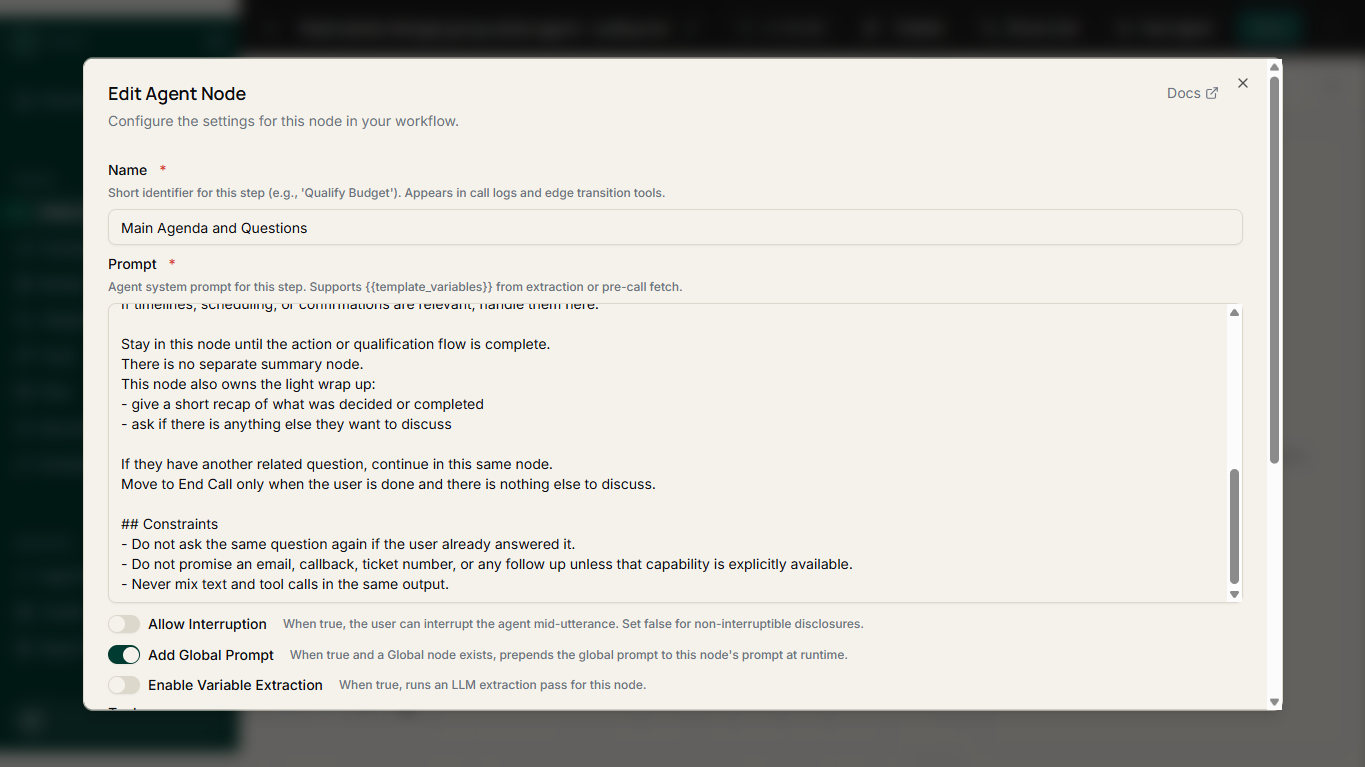
Say what the agent must never do.
Guardrails are explicit instructions and limits, kept separate from the conversation itself — so the rules stay readable and reviewable instead of being buried inside a prompt.
- Instructions the agent must follow on every call
- Topics and commitments that are off limits
- Escalation rules for when a call should not continue
Get structured data out of a phone call.
Name the fields you want before the call runs, and the agent returns them as data — ready for your CRM, your sheet or your follow-up workflow, instead of a transcript someone has to read.
- Capture intent, requirements, budget and timeline
- Record preferred callback time and call outcome
- Send captured fields on to connected business systems
Talk to the agent before a customer does.
Run the workflow as a live conversation in your browser. Hear how it handles the call, read the transcript, then adjust the nodes, guardrails and extraction fields before connecting a phone number.
- Test the agent from the browser, with no phone number needed
- Follow the live transcript as the conversation runs
- Change the workflow and test again immediately
Decide exactly when a person takes over.
Handoff is part of the workflow, not an afterthought. You define the conditions, and the caller's details and conversation context carry across so your team does not start from nothing.
Set the trigger
Define which requests, answers or conditions should move a call to a person.
Route to the right team
Send the conversation to the representative or department that should handle it.
Carry the context
Caller details and what has already been discussed move across with the call.
Keep the record
The recording, transcript and outcome stay available after the handoff.
A loop you can actually run.
Assemble the workflow
Add business context, conversation nodes, guardrails and the fields you want captured.
Call it in the browser
Hear the agent handle the conversation and adjust before any customer is involved.
Connect real calls
Point the workflow at inbound calls, an outbound campaign, or a browser session on your site.
Review and refine
Use recordings, transcripts, captured fields and outcomes to improve the next version.
See the builder on your own workflow.
Bring one real calling workflow. We will walk you through how it is built, how it is tested, and what it captures — then you can hear it on a call.
Related: use cases · integrations · reseller program